
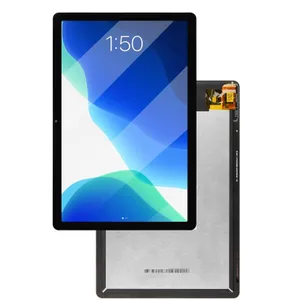
Laptop Replacement Screens: A Complete Guide
Why Replace Your Laptop Screen?
A cracked, flickering, or dead laptop screen can turn your device from a productivity tool into a liability. Rather than replacing the entire laptop, installing a replacement screen is often far more affordable and gives your machine a new lease on life. In Bangladesh, you can find good-quality panels starting around ৳3,000–5,000 depending on size and specifications.
What to Consider Before Buying
1. Screen Size & Connector Type
Make sure you match the screen size (e.g., 14″, 15.6″) and connector type (like 30‑pin or 40‑pin).
2. Resolution
Choose the resolution (e.g., 1366×768 HD, 1920×1080 FHD) that matches or improves on your old screen.
3. Panel Technology
-
TN — cheaper, fast response, but narrow viewing angles
-
IPS — better color accuracy, wider angles; many users upgrade to it
-
You may also find touchscreen or higher-brightness panels.
4. Compatibility & Fit
5. Installation
Replacing a screen can be DIY‑friendly, but you’ll need the right tools (screwdrivers, pry tools) and a steady hand.
6. Warranty & Quality
Buy from reputable sellers. In Bangladesh, local shops like Dear IT sell 15.6″ 40‑pin screens with 6‑month warranties.
Popular Replacement Screen Products
Here are some real replacement panels you can consider (imported options):
Here are a few highlighted options:
-
15.6″ FHD IPS Laptop Screen: 1920×1080 resolution, wide viewing angles, good for upgrading from a lower-res panel.
-
14.0″ 1366×768 30‑pin LCD: Standard HD panel, compatible with many older laptops.
-
13.3″ FHD IPS Touch Screen: Touch-enabled, great for 2-in-1 laptops or replacing a broken touch display.
Tips for a Smooth Replacement
-
Measure and Confirm: Before buying, remove your broken screen (if possible) and note the panel code, connector type, and resolution.
-
Watch Video Guides: Online tutorials can show you how to safely remove your bezel and replace the screen.
-
Use Anti‑Static Tools: Prevent damage to internal components by using anti-static wristbands or mats.
-
Test Before Fully Installing: Once connected, power on and check for display issues (flicker, dead pixels) before re-assembling the bezel.
ল্যাপটপ রিপ্লেসমেন্ট স্ক্রিনস
কেন আপনার ল্যাপটপ স্ক্রিন পরিবর্তন করবেন?
কোনো স্ক্রিন যদি ফাটে যায়, ফ্লিকার করে বা পুরোপুরি ড্যামেজ হয়ে যায়, তাহলে পুরো ল্যাপটপ পরিবর্তনের পরিবর্তে রিপ্লেসমেন্ট স্ক্রিন লাগানো আরও সাশ্রয়ী এবং কার্যকর। বাংলাদেশে স্ক্রিনগুলো প্রায় ৳৩,০০০–৫,০০০ থেকে শুরু হয়ে যায়, যা নতুন ডিভাইস কেনার তুলনায় অনেক কম।
কেনার আগে যা দেখবেন
-
স্ক্রিনের সাইজ ও কানেক্টর — যেমন 15.6″ এবং 30‑/40‑pin
-
রেজোলিউশন — HD বা FHD ইত্যাদি
-
প্যানেল টাইপ — TN, IPS, বা টাচ প্যানেল।
-
কম্প্যাটিবিলিটি — আপনার ল্যাপটপ মডেল ও সার্ভিস ম্যানুয়াল যাচাই করুন।
-
ইনস্টলেশন — সঠিক টুলস ও সাবধানে কাজ করা দরকার।
-
ওয়ারেন্টি — বিশ্বস্ত দোকান থেকে কিনুন।
রিপ্লেসমেন্ট স্ক্রিন পণ্য উদাহরণ
-
15.6″ FHD IPS স্ক্রিন — রঙ ও অ্যাঙ্গেল উন্নত করতে।
-
14″ 1366×768 30‑pin LCD — পুরানো ল্যাপটপে HD রিপ্লেসমেন্ট।
-
13.3″ FHD টাচ স্ক্রিন — টাচ-সক্ষম 2‑in‑1 বা ক্র্যাশ হওয়া টাচ ডিসপ্লেসহ স্ক্রিন পরিবর্তনে উপযোগী।
সফল প্রতিস্থাপনের টিপস
-
স্ক্রিন বের করার আগে তার মডেল কোড, কানেক্টর চিহ্নিত করুন।
-
পরিবর্তনের গাইড ভিডিও দেখুন।
-
অ্যান্টি-স্ট্যাটিক টুলস ব্যবহার করুন।
-
সম্পূর্ণভাবে ইনস্টল করার আগে স্ক্রিন পরীক্ষা করুন (ডেড পিক্সেল, ব্লিক ইত্যাদি)।