
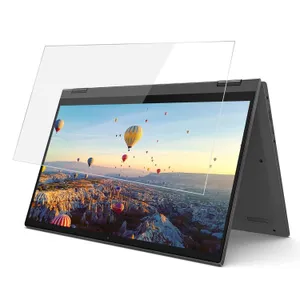
Screen Protectors for Laptops
Why Use a Screen Protector?
A laptop screen protector is more than just scratch defense — it helps guard against grit, fingerprints, glare, and even harmful light. For young professionals and students in Bangladesh, this means better eye comfort during long work sessions and a more durable screen without spending too much.
Types of Screen Protectors & Their Benefits
-
Anti-Glare / Matte Film: Reduces reflections from lights and windows, making your screen easier to see in bright environments.
-
Blue-Light Filter Film: Protects your eyes by blocking a significant portion of high‑energy blue light, which reduces fatigue.
-
Privacy / Micro‑Louver Filters: Limits side visibility so that people nearby can’t easily see your screen — ideal for public workspaces.
-
Tempered Glass Protectors: Offers high scratch resistance and a more “glass-like” feel, though often more fragile and thicker than films.
What to Look for When Choosing
-
Screen Size & Fit: Make sure the protector matches your laptop’s diagonal size (e.g., 13.3″, 14″, 15.6″).
-
Material Quality: PET films (soft) are more flexible; glass protectors are harder but less flexible.
-
Transparency vs Protection: Privacy filters reduce viewing angle but may dim the screen.
-
Ease of Installation: Choose protectors with good application kits — dust removal stickers, microfiber cloths, and clear mounting tabs are helpful.
-
Removability: If you change your mind later, make sure the protector can be removed cleanly.
Popular Imported / Brand Options
-
SuperShieldz 14″ Anti‑Glare Matte Protector (3-Pack) — PET film that's fingerprint-resistant and reduces reflections.
-
15.6″ Anti Blue Light Laptop Protector (3-Pack) — Reduces harmful blue light and UV, suitable for long working hours.
-
16″ Laptop Privacy/Blue-Light Filter by StarTech — Uses microlouver tech for privacy and blocks up to 51% blue light.
Tips for Installation & Use
-
Clean your screen thoroughly before applying to avoid trapped dust.
-
Use dust-removal stickers and work in a low-dust environment.
-
After applying, press out any bubbles gently using a microfiber cloth.
-
If it's a privacy or blue-light filter, periodically clean it to maintain clarity.
ল্যাপটপ স্ক্রিন প্রটেক্টর
কেন স্ক্রিন প্রটেক্টর ব্যবহার করবেন?
ল্যাপটপ স্ক্রিন প্রটেক্টর শুধুমাত্র স্ক্র্যাচ থেকে সুরক্ষা দেয় না — এটি ধুলো, আঙুলের দাগ, ঝলক এবং চোখ ক্ষতিকারক আলো থেকেও রক্ষা করে। দীর্ঘ সময় কাজ করার সময় চোখের আরাম এবং স্ক্রিনের টেকসইতা বাড়ানোর জন্য এটি এক সাশ্রয়ী সমাধান।
স্ক্রিন প্রটেক্টরের ধরন এবং সুবিধা
-
অ্যান্টি‑গ্লেয়ার / ম্যাট ফিল্ম: আলো প্রতিফলন কমায়, উজ্জ্বল পরিবেশে পর্দা স্পষ্ট রাখে।
-
ব্লু-লাইট ফিল্টার ফিল্ম: উচ্চ-এনার্জি ব্লু লাইট ব্লক করে, চোখের ক্লান্তি কমায়।
-
প্রাইভেসি / মাইক্রো-লুভার ফিল্টার: পাশ থেকে স্ক্রিন দেখা কঠিন করে, পাবলিক বা সেমিনার রুমে উপযোগী। টেম্পার্ড গ্লাস প্রটেক্টর: স্ক্র্যাচ প্রতিরোধে শক্তিশালী, “গ্লাসের মতো” অনুভূতি দেয়।
কেনার সময় যা বিবেচনা করবেন
-
স্ক্রিন সাইজ অনুযায়ী সিলেক্ট করুন।
-
পণ্য ম্যাটেরিয়াল দেখুন: নরম PET ফিল্ম বা শক্তিশালী গ্লাস।
-
প্রাইভেসি ফিল্টার স্ক্রিনকে একটু অন্ধকার করতে পারে।
-
ইনস্টলেশন কিট ভালোভাবে আসছে কিনা দেখুন — ডাস্ট স্টিকার, মাইক্রোফাইবার কাপড় ইত্যাদি।
-
প্রটেক্টর সহজে সরাতে পারা উচিত, যাতে পুনরায় প্রতিস্থাপন করা যায়।
চোখে রাখুন ছোট কথা
-
ইনস্টল করার আগে স্ক্রিন পুরোপুরি পরিষ্কার করুন।
-
ধুলো ফেলা এড়িয়ে, একটি শান্ত পরিবেশে কাজ করুন।
-
সপগুলো বাতাসে উঠলে মাইক্রোফাইবার কাপড় দিয়ে ধীরে ধীরে উচচ চাপ দিয়ে বের করুন।
-
প্রাইভেসি বা ব্লু‑লাইট ফিল্টার নিয়মিত পরিষ্কার করে রাখুন যেন দেখার গুণগত মান বজায় থাকে।